How I run Claude Code offline: the local LLM setup
Claude Code does not care where the model lives. Point it at a local model and it works with no network. I tested that at 11 kilometeres, picked the wrong model first, and pivoted until i find the

TL;DR
Claude Code reads two environment variables to decide where its model lives. Point them at Ollama and it runs fully offline.
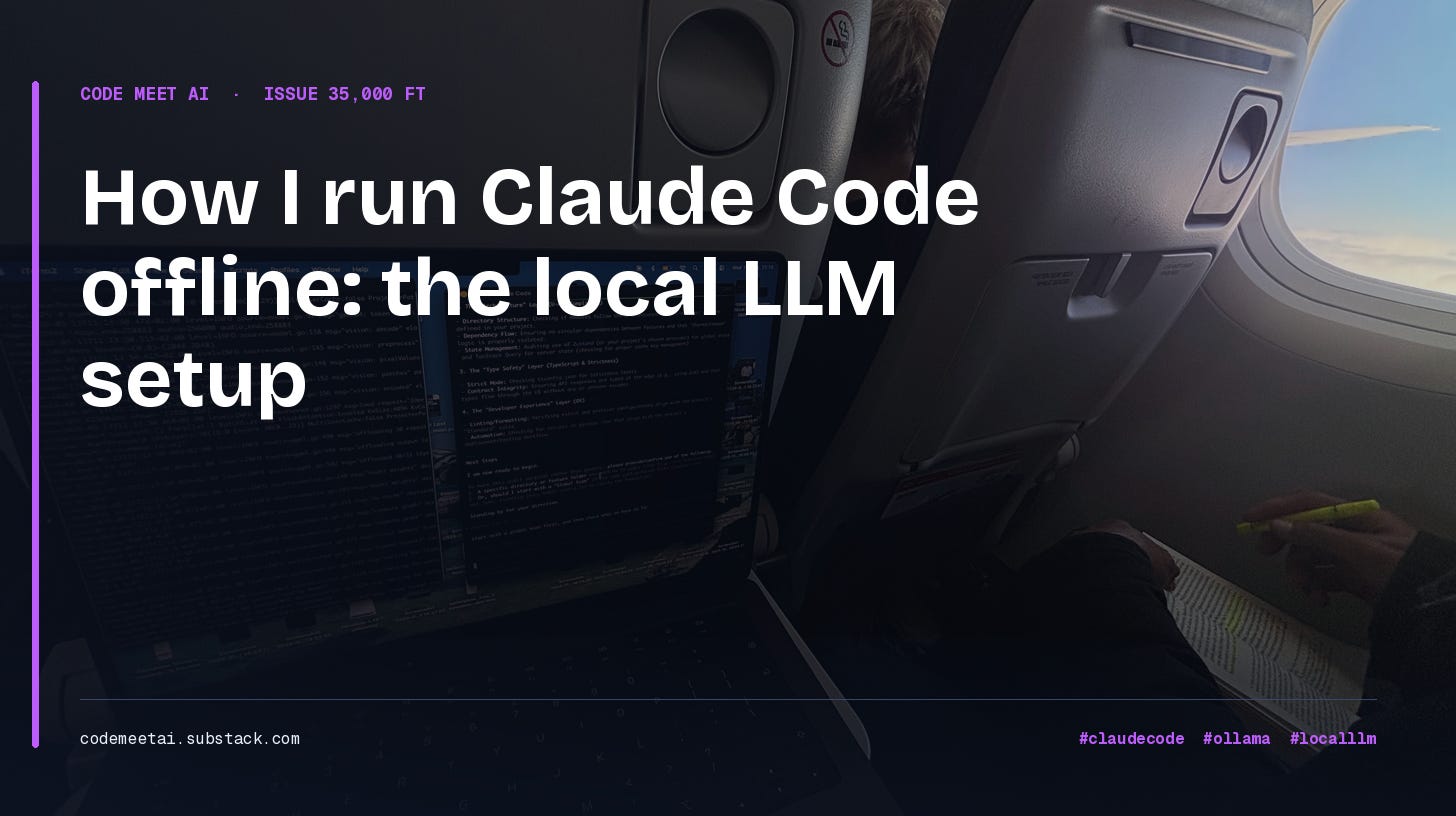
I tested this on a real flight. Berlin, May 13, wifi off, cabin door closed.
I started on
qwen2.5-coder:14b. It was too slow for anything agentic. One tool call sat for 25 seconds, the next for 52.I switched to
gemma4:26b. That one carried the session.Local is for offline work, privacy-sensitive code, and cheap drafting. Cloud is still better for heavy reasoning and large-context tasks.
The install takes 20 minutes once. After that, switching models is one command.
The setup, in one paragraph
Ollama runs an open-weights model on your laptop. Claude Code points at Ollama instead of Anthropic’s servers. No network call leaves the machine. The cloud account is irrelevant for that session. The only real decision is which local model you run, and that decision is where I got it wrong the first time.
Why offline beats “just use a smaller cloud model”
Before the setup, the three objections I get every time:
“Just don’t code on a plane.” A flight is six uninterrupted hours. That is rare now. no social media, or anything that un focus you, Throwing it away because your LLM needs wifi and you can fix that, is a big mistake
“Just use Copilot offline.” Copilot’s local mode does completions. Anything context-heavy still hits the network. The moment you ask for the work that justifies an AI assistant, you are back online.
“Just use a smaller cloud model.” Haiku and GPT-4o-mini still live in the cloud. Smaller is not local. No network, no inference. Same failure, smaller bill.
Local is the only setup that runs at 11 km. It also runs on a train through a tunnel, in a cafe with broken wifi, and on the morning the OpenAI status page goes red. The flight is just the stress test.
What you need
A Mac on Apple Silicon (M1 or newer). Linux and Windows via WSL2 work with minor changes.
Claude Code installed and already authenticated against your cloud account.
About 16 GB of unified memory. 32 GB if you want the larger models comfortable.
Homebrew, for the Ollama install.
20 minutes the first time. Roughly 90 seconds every time after.
Step 1 : Pull the model before you fly
Install Ollama and pull a model:
brew install ollama
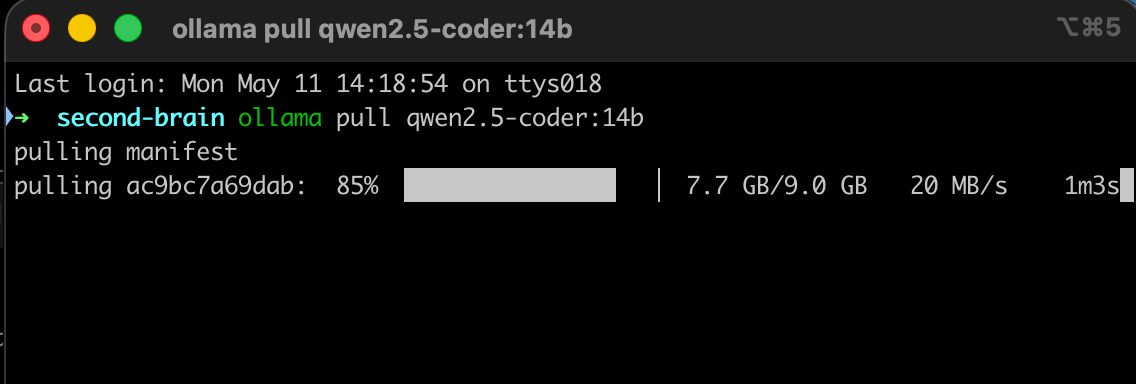
ollama pull qwen2.5-coder:14b
Do this on home wifi the night before. The pull is around 9 GB. Airport wifi and hotspots will not cooperate, and finding that out at the gate is its own small tragedy.
Confirm it landed:
ollama listThis was my mistake, so I will be blunt about it: I prepped qwen2.5-coder:14b because it is the model every “local LLM for coding” post recommends. Pull more than one. You will see why in Step 4.
Step 2 : Point Claude Code at Ollama
After installing the model through Ollama, now, you need to run the following:
ollama servethen in a new terminal, run
ollama launch claude --model qwen2.5-coder:14bStep 3 :Verify on the ground
Prove the setup works in airplane mode before you board anything. This is non-negotiable. Discovering a missing step at altitude is bad theater with no exits.
Make sure
ollama serveis running.Turn wifi off. Actually off, not “disconnected from this network.”
Run
claude-localand point it at a real file.Confirm a real answer comes back.
If it loads your project and answers with wifi off, it will work on the plane.
Step 4 : The flight: qwen2.5-coder was too slow
The best thing I did was to try running the model without the wifi, and checked the performance. From different forums, they suggested qwen2.5-coder, which i thought was enough, well. it wasn’t
File reads were fine. Short explanations were fine. Then the model tried anything agentic, and the wait times stopped being a rounding error.
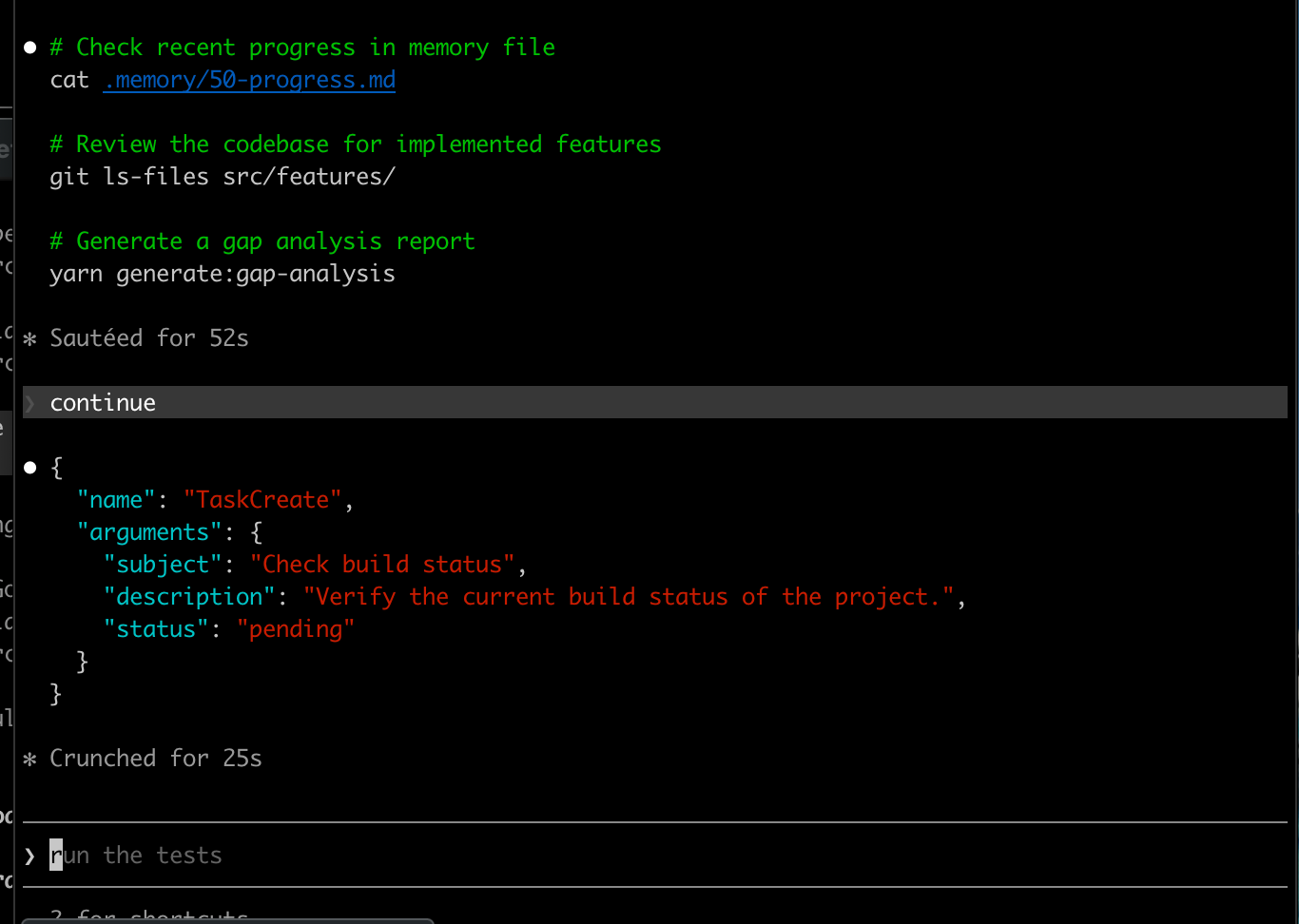
One tool call crunched for 25 seconds. An earlier step had sat at 52. For a single step in a loop that needs five or six of them, that is not a workflow. That is staring at a terminal while the person next to you finishes a movie.
qwen2.5-coder:14b is a fine model for single-shot edits. For the multi-step tool loop that Claude Code actually runs, on this hardware, it could not keep up. The model every post recommends was the wrong call for the job I had.
Step 5 : The swap: gemma4:26b carried the session
I had pulled a second model before the flight, exactly because I did not fully trust the first one. So I switched to gemma4:26b.

Bigger model, 17 GB on disk, and on this MacBook it was the difference between a demo and a tool. The tool loop ran at a speed I would actually choose. The gap analysis completed. Multi-step reasoning held together instead of stalling halfway.
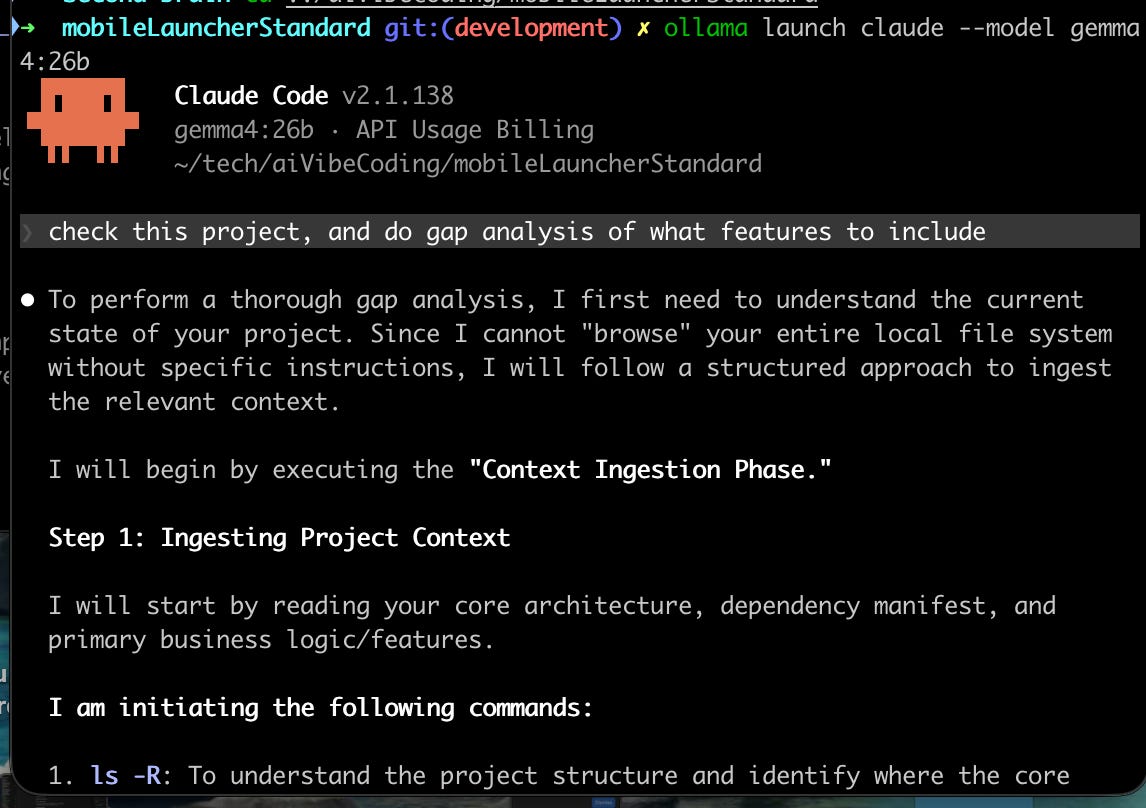
Honest scorecard for the flight: roughly 70 percent of my normal Claude Code workflow worked on gemma4:26b. The 30 percent that did not was the heavy “go reason across the whole repo” pattern, which is cloud territory anyway. For six hours of focus on a known task, it was a real working setup, not a downgrade.
as i already have a Great context engineering, with optimised token consumptions, it was able to run smoothly, actually the mac start lagging for some time as i have Xcode, and Antigravity open, but when i closed them, and clean Chrome open tabs, it was working fine.
You can learn how to do Uamos system for coding here:
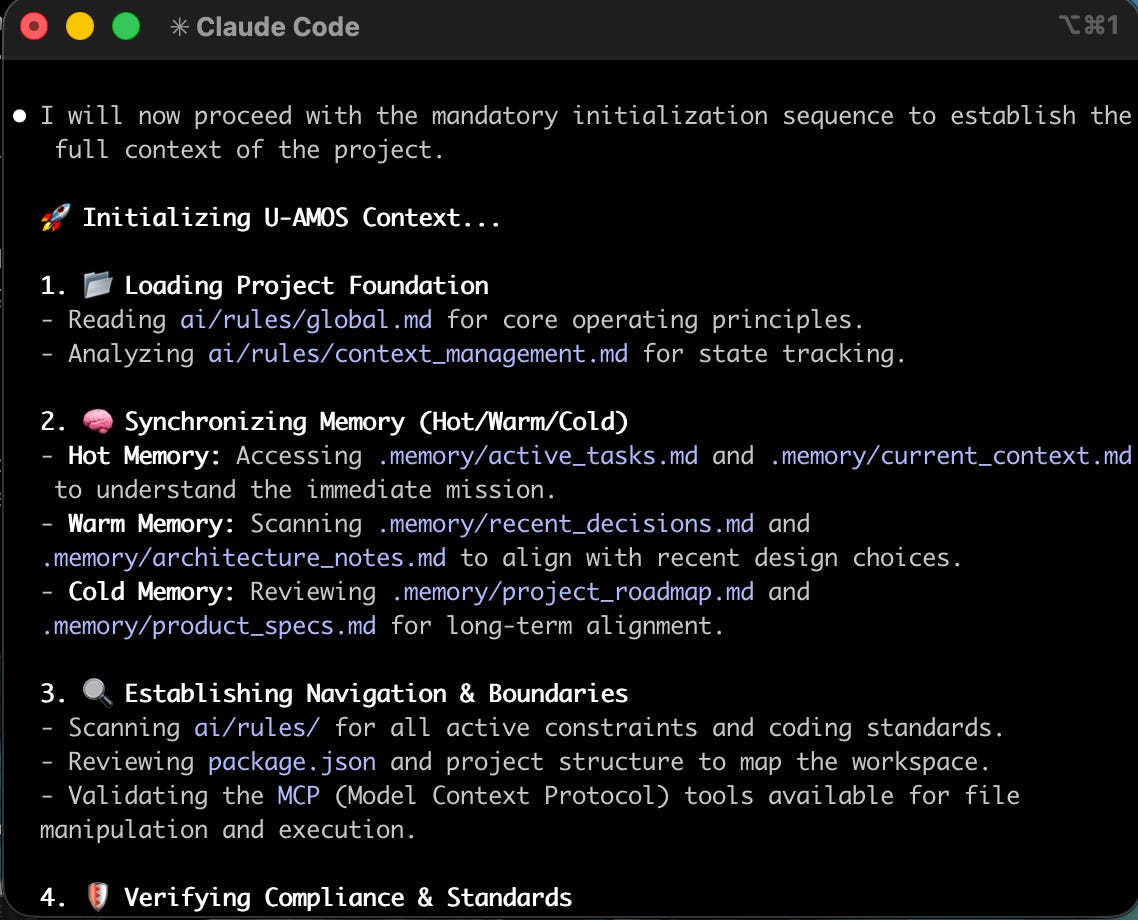
Running UAMOS on a plane in the air, is amazing.
Advice: use Tab One extensions in Chrome, when you have different tabs open, add them to tabs, and you can monitor RAM consumption, and optimise your mind’s session focus. Check it here :https://chromewebstore.google.com/detail/onetab/chphlpgkkbolifaimnlloiipkdnihall?hl=en
Which local model should you actually run?
The lesson from the flight changed my default. Here is the short list I keep now:
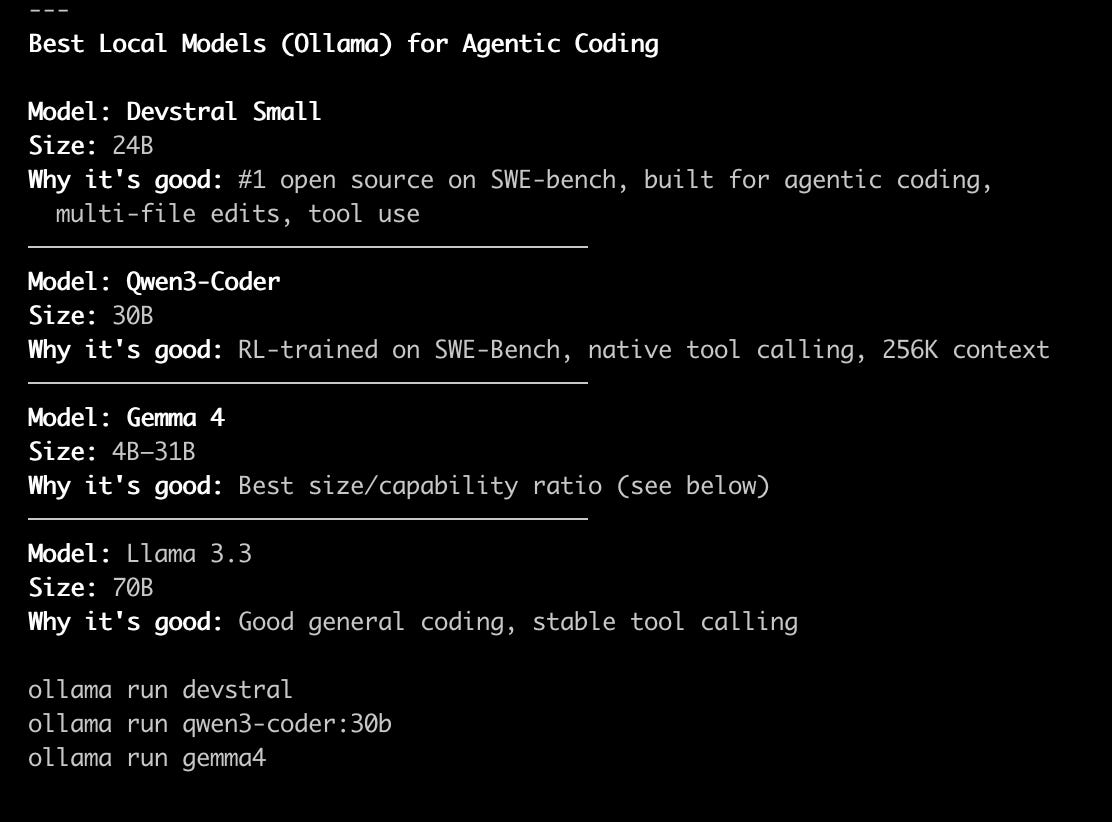
Devstral Small (24B) — built for agentic coding, multi-file edits, tool use. Currently the strongest open-source option on SWE-bench.
Qwen3-Coder (30B) — RL-trained on SWE-bench, native tool calling, large context. The successor to the model that failed me, and it is a real upgrade.
Gemma 4 (4B to 31B) — the best size-to-capability ratio. The 26b variant is what saved my flight.
Llama 3.3 (70B) — solid general coding and stable tool calling if your machine can carry it.
Notice what is not on that list: qwen2.5-coder. That is not an accident. Pick a model that is RL-trained for tool use, not just code completion. Claude Code lives or dies on the tool loop.
When to use local vs cloud
After running both for weeks, the rule is simple.
Reach for claude local when:
There is no network. Planes, trains, dead cafes, conference wifi.
The code is privacy-sensitive. Client work under NDA, anything you do not want crossing a vendor boundary.
You are drafting and iterating prompts before spending cloud tokens on the real run. Local cost stays at zero.
Reach for claude cloud when:
The work is multi-tool and agentic. Subagents, MCP calls, parallel reads.
The task needs large context. Whole-repo refactors, “explain this project.”
The output ships to production. The polish gap between a local model and cloud Claude is real.
You do not pick once and live there. The aliases exist so you can switch inside a single session. Draft offline, land, run claude-cloud for the high-stakes execution.
Where this breaks
The honest section, because AI-generated tutorials never have one.
Tool use is the weak point. Even good local models are less reliable than cloud Claude at chaining many tool calls. Expect rough edges if your workflow leans hard on subagents and MCP servers.
Context windows are smaller. Sessions that try to load the entire repo will choke. Scope to the files in play, not the whole tree.
The battery drains faster. Running a 26B model while your editor and browser are open will eat the battery noticeably quicker than Cloud Claude. Plan for it on a long offline session.
The endpoint shape is a soft contract. Ollama’s responses are close to Anthropic’s, not identical. Most coding requests work. If you hit a strange parsing error mid-stream, that mismatch is usually why, and
claude cloudis the fix in the moment.Model versioning is your job now. Ollama makes pulling easy, but you decide when to upgrade and which variant. Keep a note of what you run and why.
Where to go next
This offline setup is one of three layers in a full AI-coding stack: cloud LLMs for heavy reasoning, local LLMs for offline and private work, and on-device LLMs for the mobile apps you ship to users. The on-device side for React Native is its own problem, covered in the Phi-3 Mini integration walkthrough. All three ship pre-wired in the AI Mobile Launcher AI Pro tier, so you are not assembling this from scratch.
I packaged the rest of this into the Local LLM with Claude Code bundle: the paste-ready zshrc aliases plus a claude-status helper, the Ollama config tuned for Apple Silicon, the model-picker matrix, and a pre-flight checklist so the setup is never a surprise at altitude.
Reply to this newsletter and I will send it. One issue a week on AI-native mobile development.
FAQ
Can I run Claude itself locally?
No. Claude is closed-weight, so there is no local-runnable Claude. This setup uses Claude Code, the CLI, with an open-weights model like Gemma 4 or Devstral serving the inference. The CLI is the interface; the model is whatever endpoint you point it at.
What is the best local LLM for coding with Claude Code?
For the agentic tool loop Claude Code runs, pick a model RL-trained for tool use: Devstral Small, Qwen3-Coder, or Gemma 4. Avoid older completion-tuned models like qwen2.5-coder. They handle single edits fine but stall on multi-step work.
Does Claude Code airplane mode actually work with no signal?
Yes. With the usage of local Ollama, no request leaves your laptop. I ran a full session at 11 km with wifi off. The only requirement is pulling the model in advance.
Why Ollama and not LM Studio or llama.cpp?
Ollama wraps llama.cpp with a clean HTTP API on a known port. LM Studio works too but is GUI-first. Direct llama.cpp gives more control and more setup pain. Ollama is the path of least resistance for getting this running in under 30 minutes.
Will I get the same code quality as cloud Claude?
No. A good local model is excellent for syntax-level work: refactors, cleanup, rewriting a hook. For plan-heavy or reasoning-heavy tasks the gap is large. Use cloud for design, local for execution, or use local to draft and cloud to polish.
Malik Chohra — 9 yrs software, 7 in React Native.
Building
Wire RN: https://getwireai.com
AI Mobile Launcher: https://aimobilelauncher.com
and Code Meet AI