

In the last one we looked at how to use subagents. That was about handing a job to a second AI with an empty memory.
This one is about the opposite kind of job: the one you do again and again. Those repeated steps are your workflow, and a command is how you save one.
It is smaller than subagents, and you will use it far more often.
the situation
You worked out a prompt that actually lands. It took a few tries to get there.
Maybe it is the one that reads four files in a set order and tells you what today looks like. Maybe it is the one that walks a diff and writes the pull request text. Whatever it is, it works, and you are pleased with it.
So the next morning you type it again.
Except you are in a hurry. You name three files instead of four. You drop the line asking for the reasoning and not just the list. The answer comes back thinner, and here is the part that matters: you do not notice. It still looks like an answer.
the problem
The prompt is not the weak part here. You are.
Good prompts are long. That is what makes them good, they say which files, in which order, and what to ignore. Nobody retypes that at eight in the morning. You type the short version, you take the worse answer, and the gap between the two never shows up anywhere you would see it.
There is a second cost, and it is quieter. A prompt that lives in your head cannot be fixed. It can only be remembered differently tomorrow.
so what is a command
A command is a prompt you saved in a file.
You put the file in a folder your AI reads. From then on you type a slash and the file’s name, and the whole thing runs.
The prompt stops being something you remember. It becomes something you have.
That is the idea. Everything after this is detail.
the parts
Four parts, and the first one is just the filename.
The file, and its name, is the command.
trace.mdgives you/trace. There is no list to add yourself to and nothing to register. The file sitting in the folder is what makes the command exist.A description line at the top. Mine sits in a small block at the head of the file: description: Trace how a decision, project, or idea has evolved over time across the vault.
One line. It is what you see when you are hunting for the right command later, which is the only reason it earns its place.
The steps, in plain words. This is the body, and it is the prompt you already wrote. Not code. My
/tracefile names the folders to search, then lays out the exact shape it wants back, down to the headings of the table.A slot for the part that changes.
$ARGUMENTSis a hole in the file. Type/trace pricingand the wordpricingdrops into the hole. One file, pointed at anything you like.
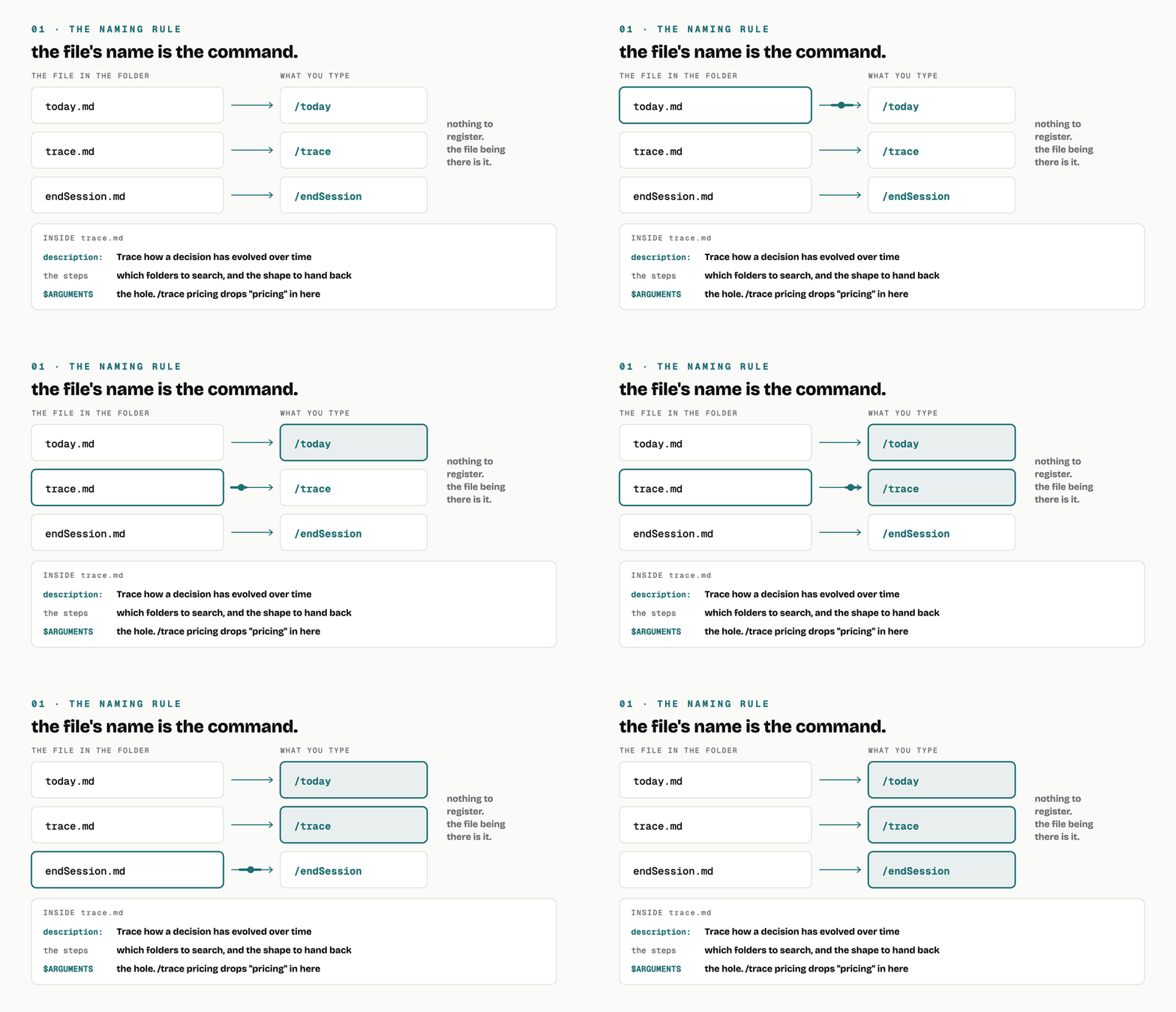
the file being there is what makes the command exist.
how you use it
Three ways in, and the effort climbs with each one.
The cheapest is to ask. Next time your AI does something well, say: save that as a command called this, so I can run it again. It writes the file for you. You never had to learn where the folder is or what goes in it.
The next is to write the file yourself. Make a markdown file, name it the thing you want to type, paste the prompt in. That is the whole job. Do it this way when you already know exactly what you want, because explaining it takes longer than writing it.
The third is not about the file at all, it is about where you put it. A command in your personal folder follows you into every project. A command in a project’s own folder belongs to that project, so it travels with the code and everyone working on it gets the same one. Same file either way. The folder decides who it is for.
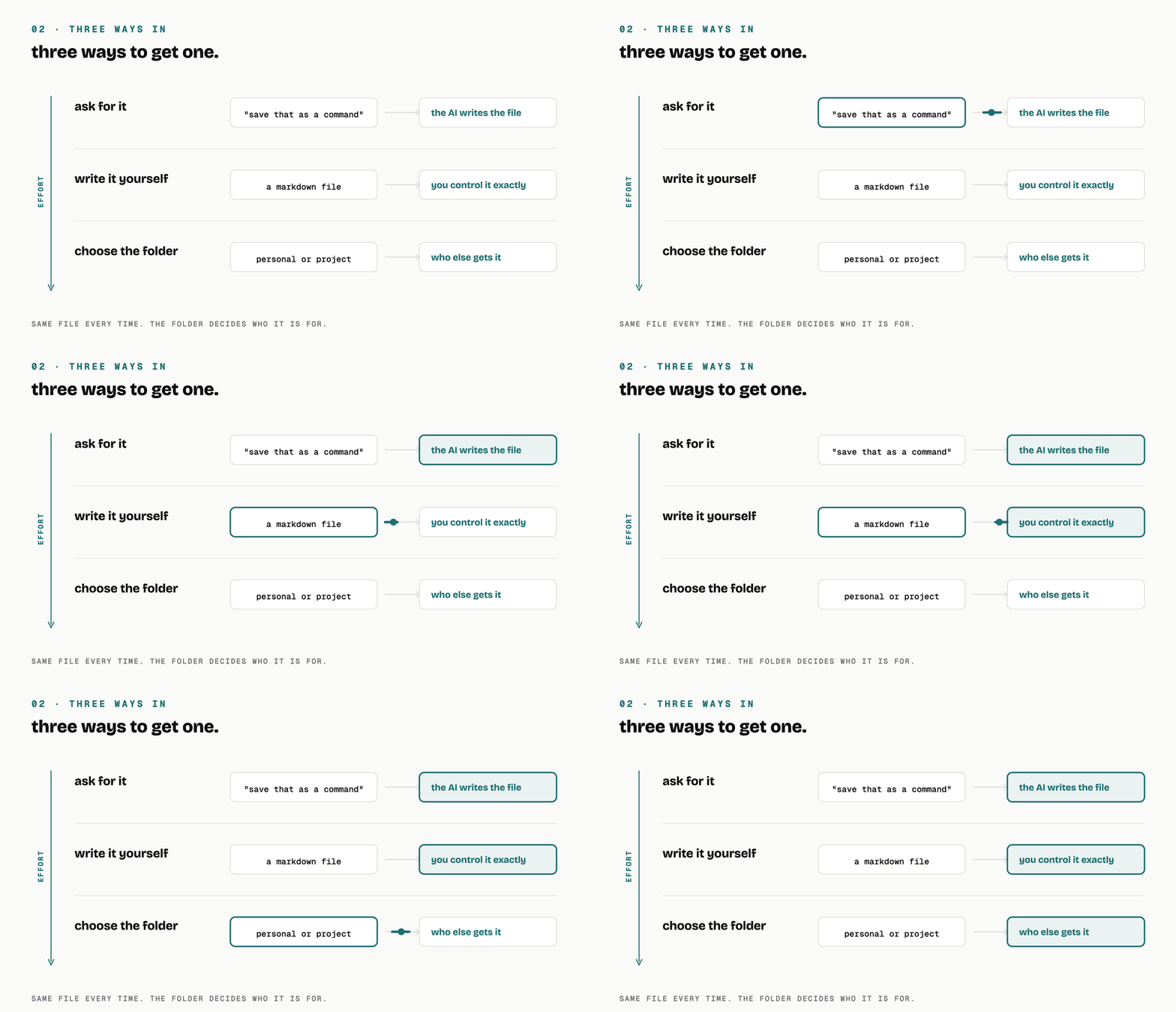
same file every time. only the effort changes.
The one I built for my own work
I have thirty of these. The one I run most is /today.
It is not clever, and that is sort of the point. It is a read order. Open my instructions file, then the plan, then the content pipeline, then today’s note, in that order, and here is which one wins when two of them disagree. Then it says what to hand back: a briefing with the reasoning in it, not a checklist I have to translate.
The value was never the saved typing. It is that the read order is the same on a bad morning as on a good one.
Two honest things from running these for a year.
Step 8 of that file used to point at something I had moved into an archive folder. The command did not break. It quietly skipped that step, on every run, for weeks, until I went looking for something else and found it. A command that reads files goes stale when the files move, and it fails politely, which is worse than failing loudly.
The other one is funnier. That folder holds thirty commands. The README I wrote to document them says twenty-nine. The README even warns, in its own text, that adding a file does not add it to the list. I wrote the warning, and then it happened to me anyway.
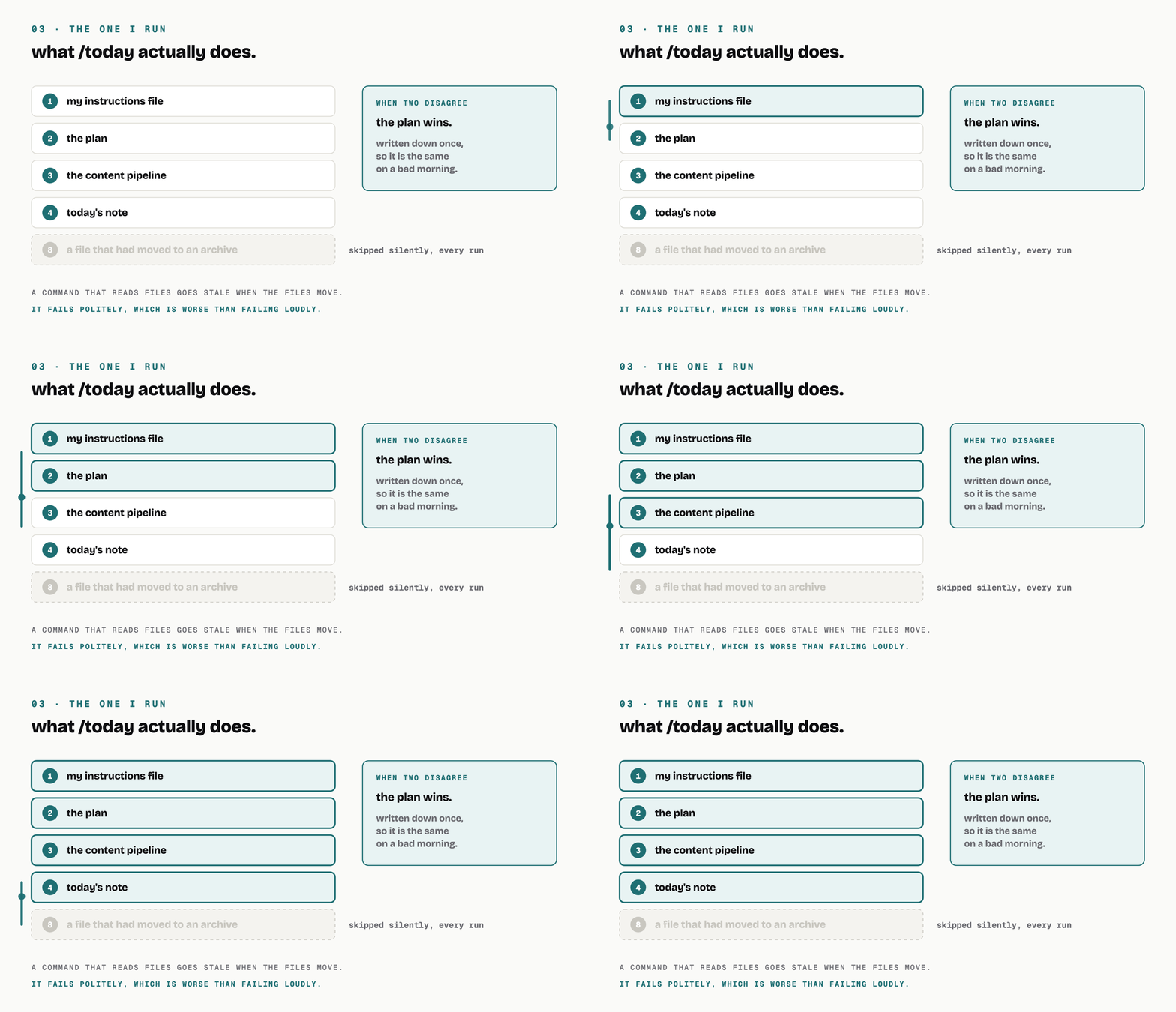
it fails politely, which is worse than failing loudly.
start here
Think of the thing you typed twice this week.
Next time you type it and the answer comes back good, say to your AI: save that as a command. Then run it tomorrow by typing one word.
That is commands. Follow for more; I write up the things I actually run.
Next one is the second brain.