

In the last one we looked at how to create your own commands. That was about saving one job so you can run it again by typing one word.
This one is about the place all those jobs run inside. A command is one saved job. The second brain is what your AI reads before it starts, and writes to when it finishes.
This is mine. Every dot is one file, every line is a link between two of them, and the folders down the left are the whole filing system.
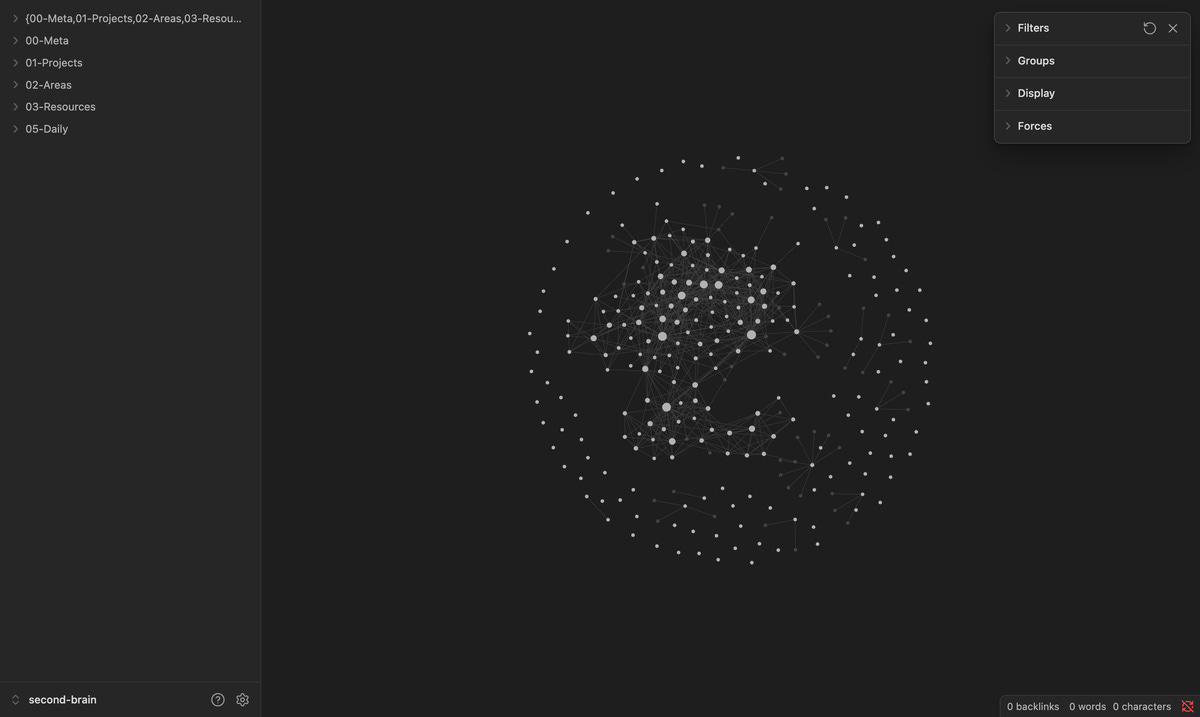
my own vault. the folders on the left are the filing system, every dot is a file.
And this is one project inside it, with everything that points at it lit up.
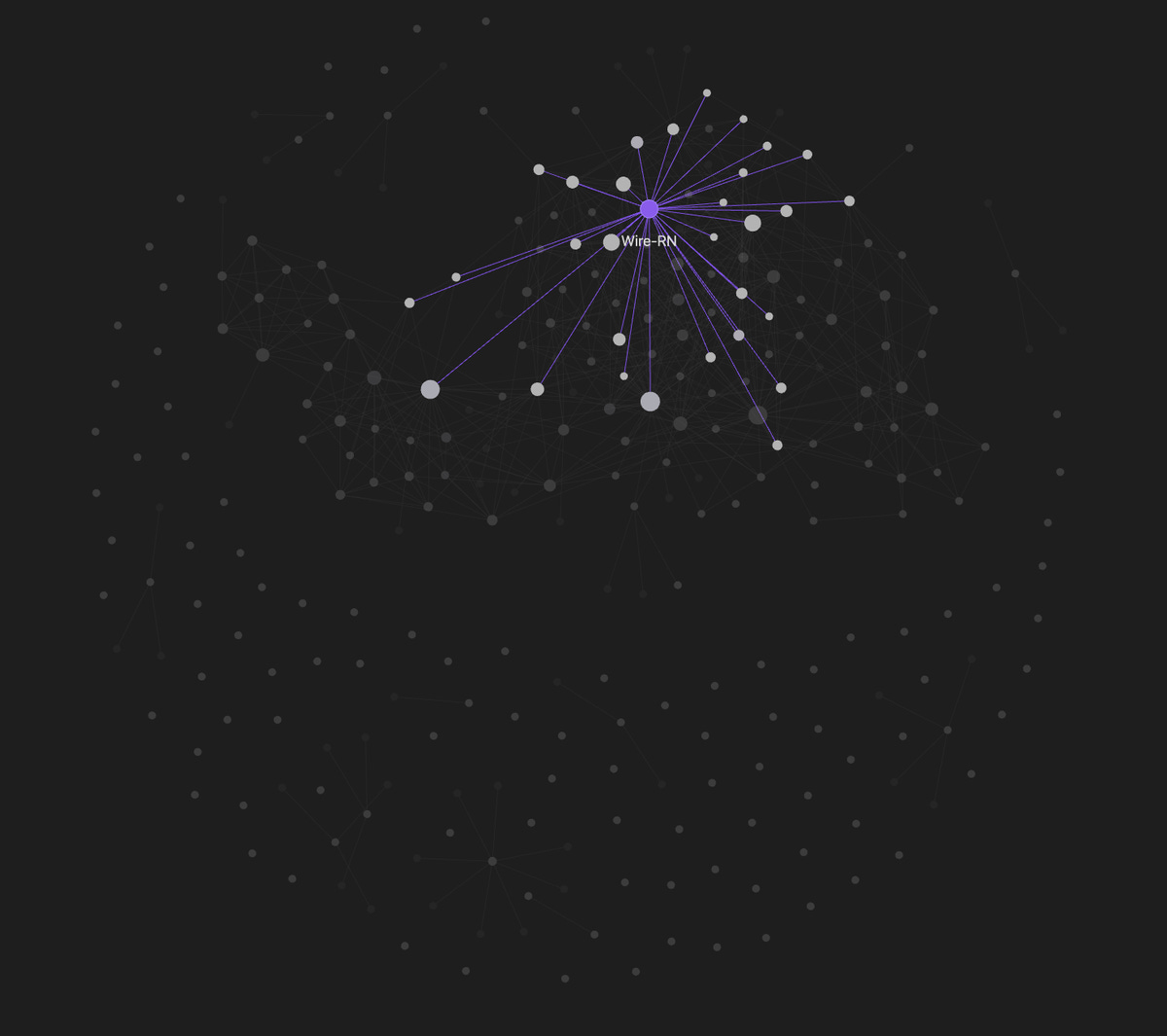
one project, with everything that points at it lit up.
the situation
By now you have the pieces. A file of instructions. A skill or two. A command you actually use. Maybe a second AI you hand the boring half of a job to.
Each one works. You built them one at a time, and none of them is broken.
And you still open a new session by explaining where things are. Which project. What you settled last week. Why that folder is named that. Every single time.
the problem
The pieces do not know about each other.
What your AI worked out on Monday is not in the file it reads on Tuesday. It found the answer, you moved on, and the answer stayed in a chat window that is now closed. Next week you ask the same question, and it starts from nothing.
So you pay for the same thing twice. Once to work it out, and once to hold it in your own head well enough to say it out loud again.
A pile of good parts is not a system. What makes it a system is that the end of one session is the start of the next one.
So what is an operating system?
An operating system is one folder your AI reads before it works, and writes back to when it learns.
That is the whole sentence. The folder is the easy half, and you can build it in an afternoon. The loop is the thing: read, work, write back, and the next session opens on what the last one learned.
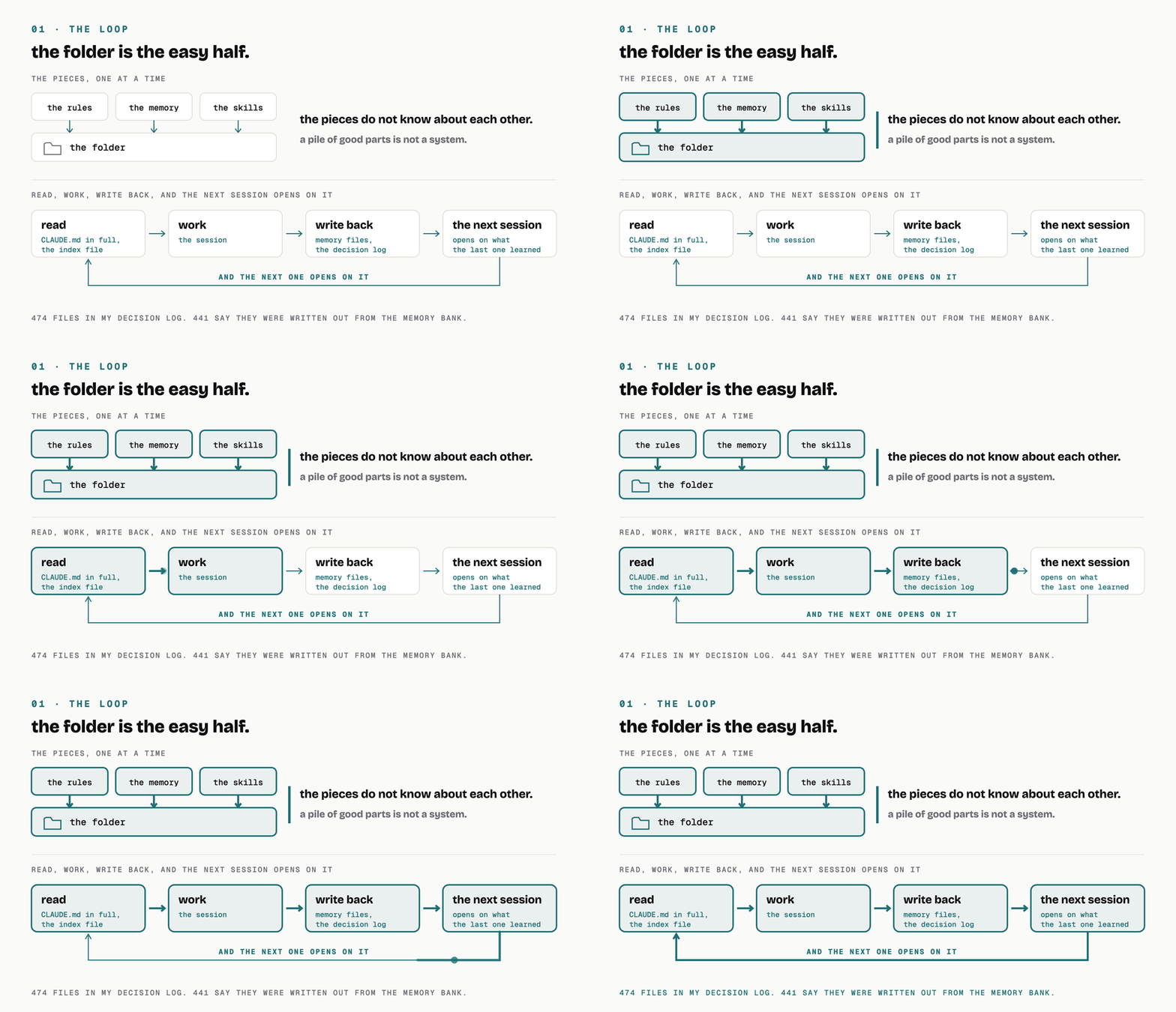
the folder only goes one way. the loop is what makes it a system.
the parts
Eight of them. Most of what follows you already met one at a time.
The folder. Files on disk, sorted by what you are doing with them. That is all it is, and I wrote up how I built mine already.
The memory. Your AI writes its own notes, and it keeps them in its own folder, not in yours, which is how you give it a memory. Mine holds 465 of them. They do not all load at once, and they must not. One short index file loads at the start of every conversation, and a detail file is opened only when something in the index points at it. So keep the index short: past 200 lines or 25 KB the rest of it is dropped, and dropped quietly. Mine sits at 117 lines and 22,252 bytes.
The rules. A
CLAUDE.mdis the file that gets read first, in full, before any work starts, and what you write down once is the whole job. It walks up the folder tree from wherever you opened the session and reads every one it finds on the way. Which means: put it where you start, not one folder down. Mine is 41,480 bytes and it lives in00-Meta/. There is noCLAUDE.mdat the top of my vault, so when I open a session at the top, that file is not loaded when the session starts. It gets read later, the first time my AI opens a file in that folder, which is after the work has already begun. Eight of my 31 commands pull it in by name, so those eight get it up front. The other 23 do not.The skills. A skill is a set of instructions for one kind of job, saved as a folder, and I covered them in skills 101. It costs you nothing until it is used. Your AI sees the name and one line about when to reach for it, and only opens the body when a job matches.
The agents. An agent is a second AI with an empty head, which is how you use subagents. It does not get the main session’s memory, and that catches people out. What it needs goes in the prompt you send it, or it works blind. Six of these sit in my personal agents folder.
The hooks. Rules are read. Hooks are run, and this one is where I went through them. A rule is a line your AI reads and mostly follows. A hook is a small program the tool itself runs at a fixed moment, whatever the AI decides. I have seven, on four moments: before a tool runs, after a tool runs, when I send a prompt, and when the session stops.
The commands. A prompt you saved in a file, so you type one word instead of ten lines. That was the last episode.
The write-back. At the end of a session, what was learned gets written back into the folder it was read from. This is the part nobody writes about, and it is the part that turns seven good pieces into a loop.
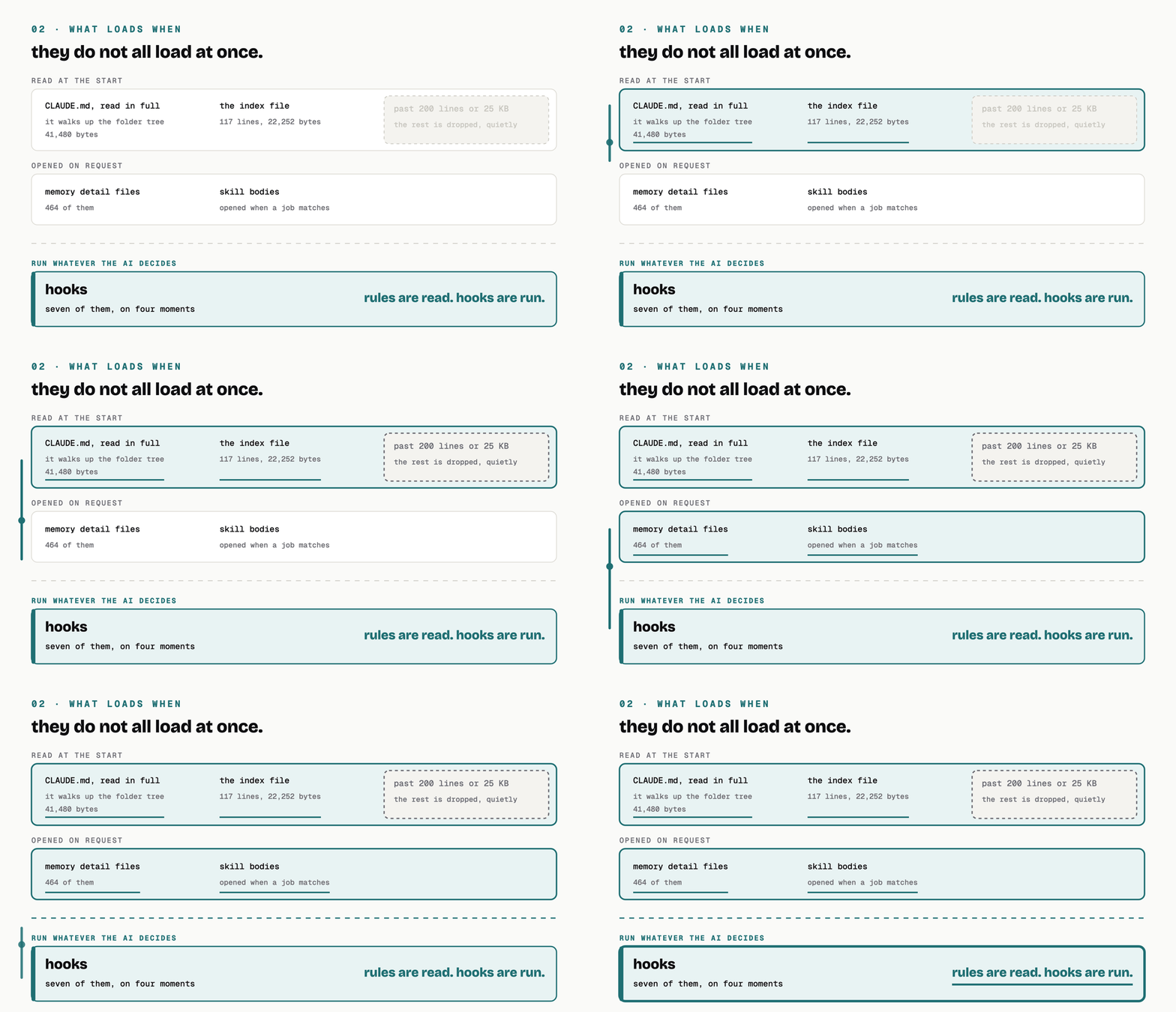
they do not all load at once. the bottom band is the only one that is not a suggestion.
How you use it
Three ways in, and the effort climbs with each one.
It already does some of this. Auto memory is on by default. Your AI keeps its own notes in its own folder and reads its index at the start of a conversation, and any CLAUDE.md above your working folder is read in full when you launch. Worth being exact here, because the tidy version is wrong: pointing it at your notes folder does not mean it reads your notes. It reads its index and it reads the rules files. Everything else is opened on request.
You ask for it in plain words. Say “remember that”. Say “add this to CLAUDE.md“. Say “save that as a skill”. It writes the file, in the right place, and you never have to learn the folder layout. /init will write you a first CLAUDE.md from the project you are sitting in.
You set it up so it is always there. The docs are blunt about the difference: “Settings rules are enforced by the client regardless of what Claude decides to do. CLAUDE.md instructions shape Claude’s behavior but are not a hard enforcement layer.” So anything that must happen every time, and not most times, is a hook. Not a line of instructions.
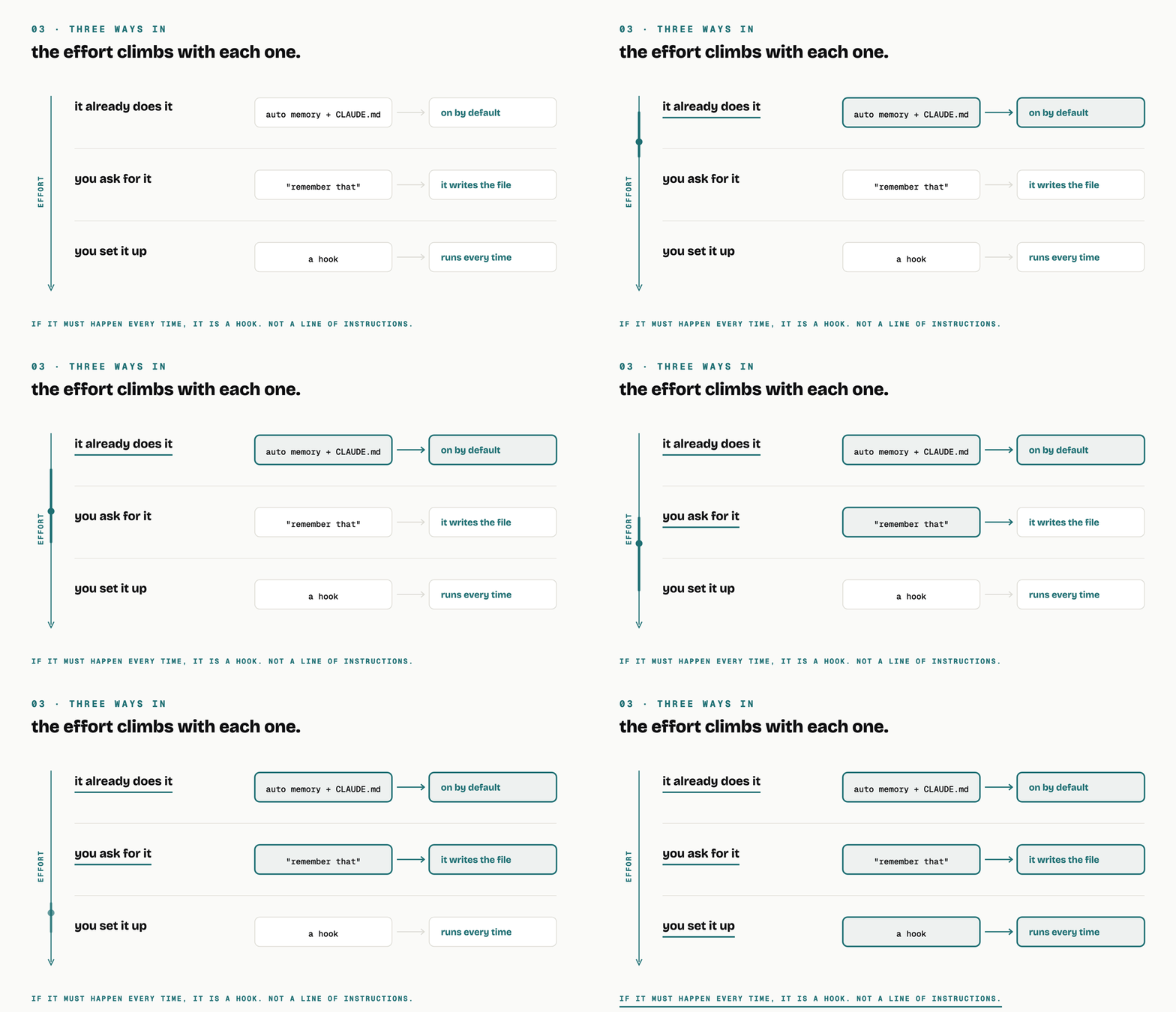
same operating system every time. only the effort changes.
The loop on my own disk
My /endSession command has a phase 3, and it is a few lines of plain English. New facts about how to work with me or my projects go to memory files, plus one line in the index, plus a stub in the vault’s decision log.
Here is what those few lines produced.
The memory folder holds 465 notes. My own decision log holds 474. 454 of them exist in both places under the same filename, and 441 carry the same footer line saying they were written out from the memory bank, dated today.
I did not type any of that. The session that learned the thing wrote it down on the way out, and the next one opened on it.
That is the loop. The folder my AI read from is the folder it wrote to.
start here
Pick the thing you explained to your AI twice this month.
At the end of your next session, say: write that into CLAUDE.md so you have it next time. Then open a new session tomorrow and check whether it did.
If you would rather not start from empty, the prompt that builds the whole folder is in my guide, Build a second brain with Obsidian and Claude Code. Paste it in, and it writes the files for you.
And subscribe, because the next one is how to structure it so it still works once it grows.
That is the operating system. Follow for more; I write up the things I actually run.
Next one is how to scale your second brain: PARA.
Grab the guide here: Build a second brain with Obsidian and Claude Code